
Highlight360: One place for the website, the members and the event
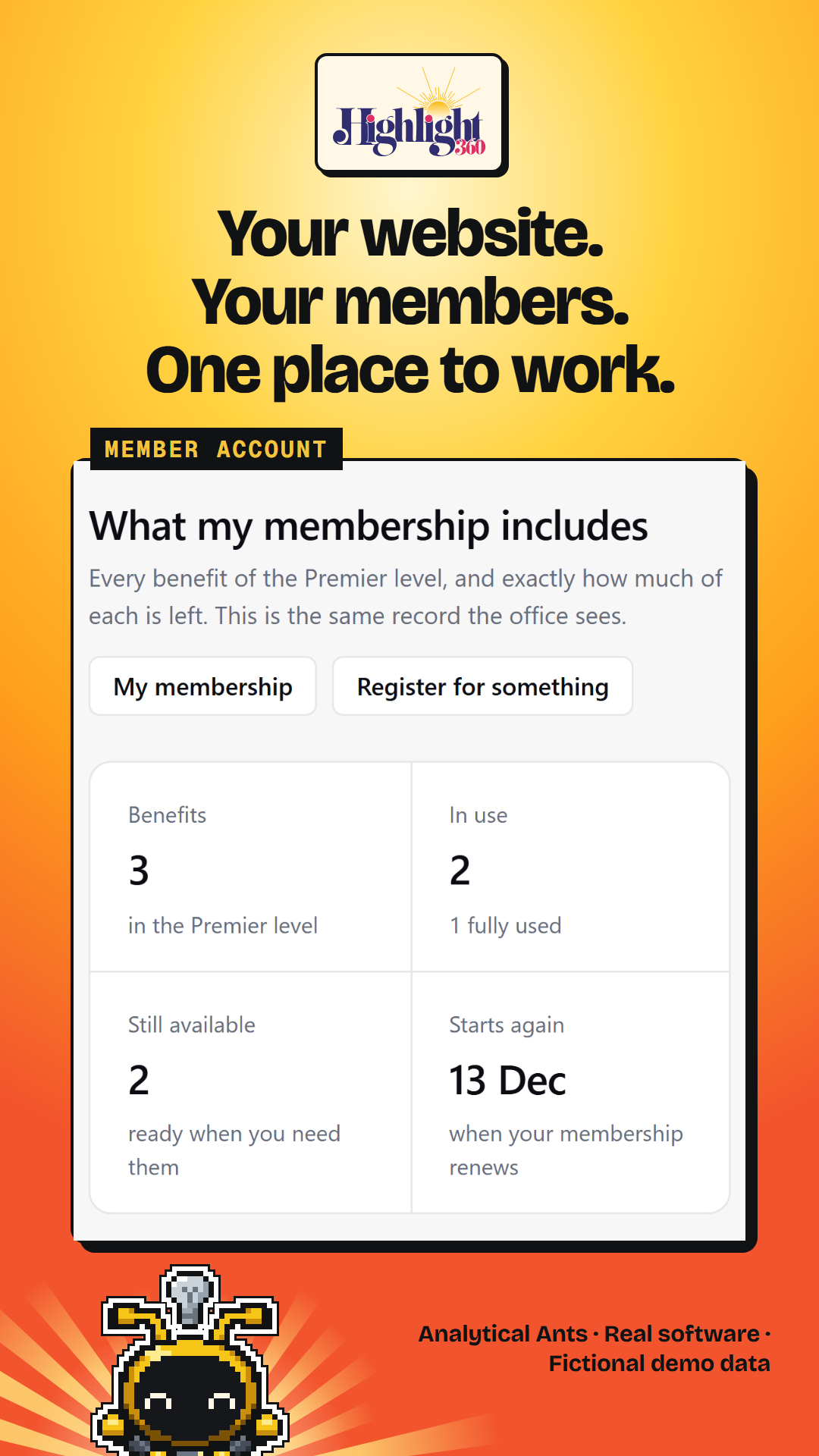
The luncheon is tomorrow. The website still shows last month’s speaker, the member list needs checking, and the sponsor’s logo is somewhere in your inbox.
Application development · Case study · Built platform
Give the whole job one home.
We built Highlight360 so a chamber’s website, members, events, email and sponsors work from shared records. Staff use one portal, members manage their own accounts, and on the Network plan your own AI assistant can draft the website update for your team to review and publish.
- Highlight360 connects a chamber or association’s website, people, events, marketing, money and reports in one staff portal. Analytical Ants built the platform so publishing and daily operations share records. Members have their own account. On the Network plan, the organization’s own AI assistant can prepare website drafts that a person reviews and publishes.
- Staff can follow membership, event and sponsor work through connected workspaces.
- Members can find their information and handle common account tasks themselves.
- See the same attention to member and staff work in our Atlas Brotherhood platform case study.
See the product: Highlight360
- Staff workspace
- Connected portal
- Member experience
- Self-service account
- Website changes
- Draft, review, publish
- Arrangement
- Licensed platform
Why does one update touch so many tools?
Because the website is only the public face of the organization. Behind an event announcement sit member details, registration, email audiences and sponsor commitments. When those live apart, a small team becomes the connection between them. The same director may carry the context from one screen to the next.
Picture a chamber or association director preparing a luncheon. The announcement belongs on the website. Members need the right registration option. The email list needs checking. A sponsor has promised artwork, and someone must remember where it goes.
This is an illustrative workday, not a customer story. It is the connected work Highlight360 was built to hold. Analytical Ants built the platform and licenses it to an operator that offers it to organizations like these.
What we built
One portal. Connected work.
Highlight360 puts the public website beside the work that keeps a community running. Website, People, Events, Marketing, Money and Reports are connected areas of the staff portal. Members enter through their own account. Home and Inbox give staff starting points for setup, applications, submissions and follow-ups.
Publish
Website pages, articles, brand settings and previews, with drafts before publication.
Serve
People, organizations, memberships and events, with a member account alongside the staff workspace.
Communicate and account
Email campaigns, sponsor work, invoices and reporting, connected to the organization’s records.
Inside the platform
Follow the work from screen to screen.
The screens show how each area holds a piece of the job. A page editor handles the announcement. People holds the relationship. Events handles the gathering. Marketing prepares the message. Money tracks the transaction and sponsor work. Reports brings those activities into a place staff can review, with period filters and spreadsheet exports from shared records.
Screenshots show the real software with invented organizations, people and transactions. Figures are examples. Images are arranged detail crops rather than single full-screen views.
01 Website
Prepare the change before it goes live.
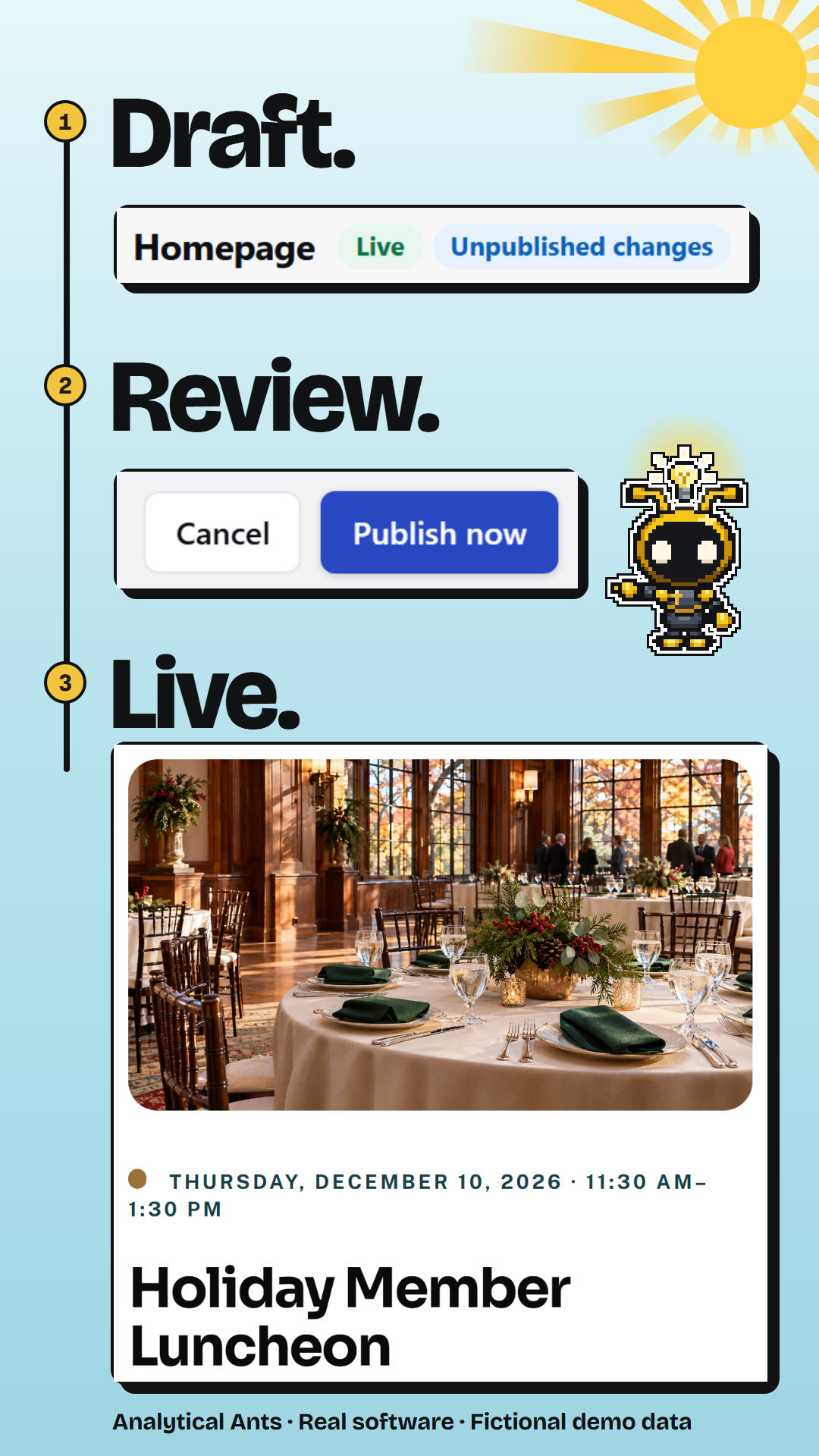
- Staff create pages from structured blocks, write articles and arrange the site’s navigation. The editor gives the change a draft state before publication.
- Preview and revision tools support review. Theme controls keep appearance work in the same portal, with choices and advanced controls depending on the plan.
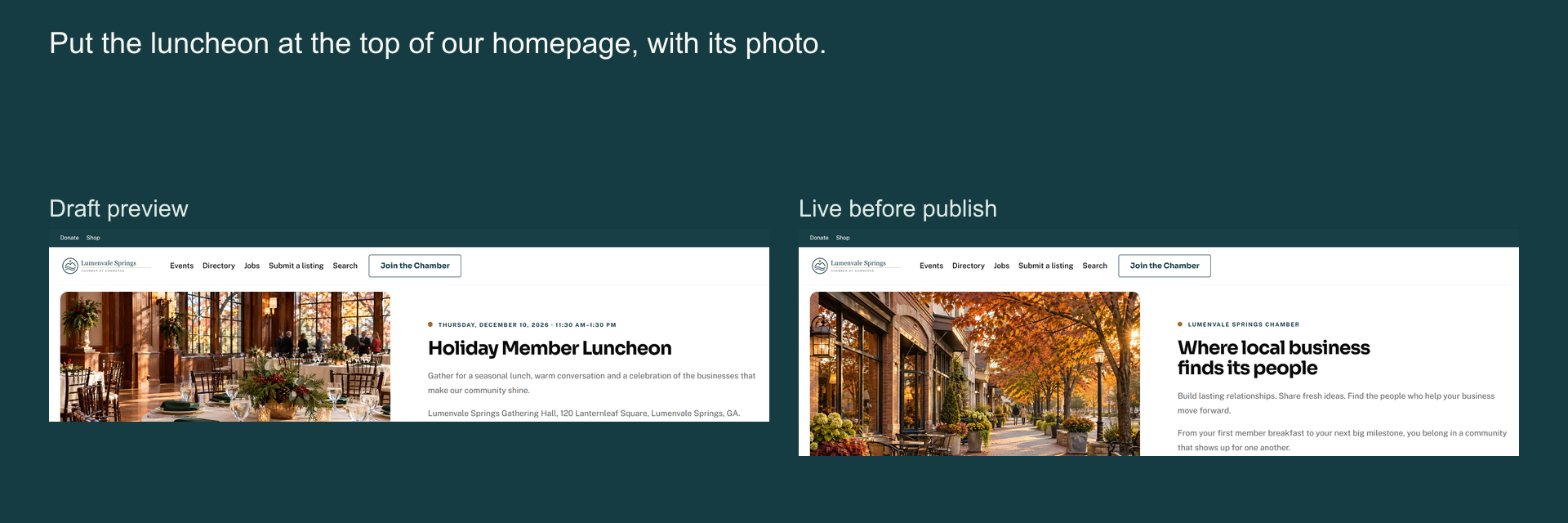
- A draft previews in the site’s own renderer, so staff see the page as visitors will before anything goes live.
02 People
Keep the relationship together.
- People and organization records connect membership with participation, giving, purchases and follow-ups. A member business can have linked contacts rather than being only a row on a list.
- Membership tools hold levels, standing, benefits and renewal work. Spreadsheet import includes mapping and a preview before records change.
- A member business keeps its linked contacts and membership on one record, so staff are not rebuilding its history from separate lists.
03 Events
Carry the event through to the door.
- The event composer holds the details. Registration supports ticket options, member prices and free RSVP; paid checkout depends on payment enablement.
- Staff have attendee and door-check-in workspaces. QR tickets, phone access and an offline queue support day-of work; check-ins recorded offline sync when the connection returns.
- Volunteer shifts and sponsor commitments sit with the same event, so the door, the volunteers and the sponsor promises are managed together.
04 Marketing
Build the message around the audience.
- Campaign work runs from content and audience selection through review and results. Staff can begin with a template or layout and see the email as they prepare it.
- Audience selection can use people groups and event participation. Consent and suppression rules determine who is eligible, rather than treating every stored address as permission to send.
- Sending runs through the organization’s own verified domain or Microsoft 365 mailbox once that setup is complete.
05 Money
Keep the payment record and the promise.
- Money brings transactions, invoices and offline settlement into the portal. Giving connects a gift with its fund and donor relationship.
- Sponsorship work carries a deal into agreements, artwork, fulfilment tasks and renewal follow-up. The team has somewhere to track what it promised after the package was chosen.
- Card payments need separate enablement and verification. Without them, staff record checks and transfers against the invoice. Money is an operational record, not a replacement for your accounting system.
06 Member directory
Let the member make the update.
- Members edit their own business listing, save the change and review the public result. The directory uses that saved description without staff retyping it.
- Here, a fictional member adds “Holiday pie orders are open.” to their listing and saves it.
07 Member account
Give members their side of the work.
- Members have their own home, profile, business listing, membership information and email preferences. Event bookings and tickets are part of that account.
- A member can update their directory information instead of asking staff to retype it. Their access remains separate from the staff portal.
- Members also see their membership standing, invoices and receipts. Paying online depends on the organization’s payment setup.
Your assistant, your say
What if you could ask for the website update?
Your own AI assistant can prepare the change, and the draft waits in Highlight360 for a person to review. The connection uses MCP, an open standard for linking AI assistants to software. The assistant reads your site and drafts pages, articles and layouts; it cannot publish. MCP is included on the Network plan, or by approved exception, and stays off until the site owner turns it on.
Try a request like: “Draft a welcome page for new members using our existing site blocks.” (An example, not a recorded session.)
Connect with permission
The owner enables connections. The person connecting the assistant reviews the site, role and requested access on the consent screen.
Prepare a structured draft
The assistant reads the available blocks and creates a supported page draft. Layout edits use validation and version checks, with a dry-run option.
Review, then publish
The assistant returns a draft preview link and a portal review link. An authorized person checks the change in Highlight360 and decides whether to publish.
Your member records stay out of it. The assistant can’t publish, send email, see member, contact or donor details, or change billing, and the application’s permissions enforce that. Images are uploaded in the portal; the assistant can place existing images and draft their alt text.
How Analytical Ants built it
Build the connection into the application.
The connection begins with the records and permissions. Highlight360 separates the public website, staff portal, member account and operator console while sharing an application and data foundation. Structured page blocks support different brands. Server-side authorization determines which person or delegated assistant can act on which organization’s work.
Give the interface a durable foundation
The application uses TypeScript and Next.js, with PostgreSQL data and explicit migrations. Tenant-aware data access and database policies define organization boundaries. This is an architecture description, not an independent security certification.
Make drafts a product feature
Pages, navigation and theme changes have review states. MCP uses those product capabilities, with scoped tools and validated operations. Human publication is enforced by the application’s authority model, not left to a polite instruction.
Keep evidence narrower than the promise
Provider adapters and deterministic demonstration data let workflows be exercised without representing a sample payment as real money. The repository records automated checks, acceptance work and unresolved defects. Those records keep implementation, provider activation and client acceptance separate, so one demonstration does not stand in for all of them.
The distinction between an implemented workflow and a verified result also guides our writing on traceable systems.
What does this mean for a business that needs its own platform?
Start with the work that crosses the tools. A business may need shared records, different staff and customer experiences, a review step or a licensed platform with its own brand. Highlight360 shows those concerns in a concrete build. The right arrangement for another business belongs in that business’s scope.
The proof here is the platform itself: every product screen in this post is the real software, shown with fictional data.
Our application development service begins with people, records, decisions and checks. The proposal identifies custom work, any platform license and ongoing responsibilities. The software should fit the operating job closely enough that the team can explain how it works.
Frequently Asked Questions
What is Highlight360?
Highlight360 is a hosted platform for chambers of commerce, associations and membership nonprofits. It connects the public website with members, events, email, sponsorship and money in one staff portal, and gives members their own account. Analytical Ants built it. On the Network plan, an organization’s own AI assistant can prepare website drafts that staff review and publish.
Can members update their own information?
Yes. The member account covers profile and business details, directory listings, email preferences, membership standing and event bookings. Members change their own listing instead of emailing staff to retype it, and their access stays separate from the staff portal. Paying dues or tickets online depends on the organization’s payment setup being enabled.
Can my AI assistant publish changes to Highlight360?
No. An authorized assistant can read site content and prepare supported content or design drafts. A person reviews and publishes in Highlight360. The connection excludes member, contact and donor identities, email sending and money operations. MCP is included on the Network plan, or by approved exception, and stays off until the site owner turns it on.
Can Highlight360 take card payments?
Not by default. Online card payments use a connected payment account that needs separate enablement and verification before an organization takes real cards. Without it, Highlight360 still records invoices, transactions and offline settlement, such as checks and transfers, for dues, event tickets and sponsorships. Every amount in this case study’s screens is synthetic.
Could Analytical Ants build a platform for our business?
Application development is one of Analytical Ants’ services. The starting point is the work: who uses it, which records connect, what people approve and how delivery will be checked. A proposal defines the build and operating responsibilities. A custom application and a licensed platform have different arrangements, agreed for the project.